YouTube — Own API Quota
Dedicated quota via Google Cloud
By default, all YouTube uploads share CodivUpload's API quota (10,000 units/day platform-wide). To get your own dedicated quota, create a Google Cloud project and enter your credentials.
Step 1: Create a Google Cloud Project
Go to console.cloud.google.com and click Create or select a project → New Project.
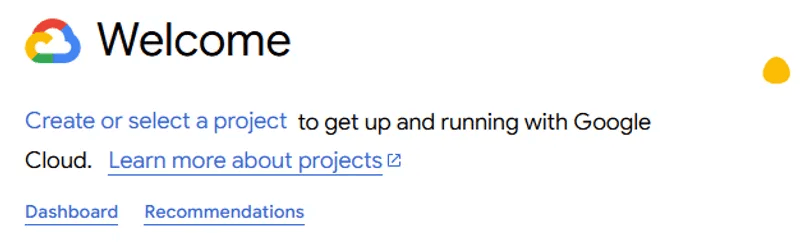
Step 2: Select Your Project
Make sure your new project is selected in the top dropdown.
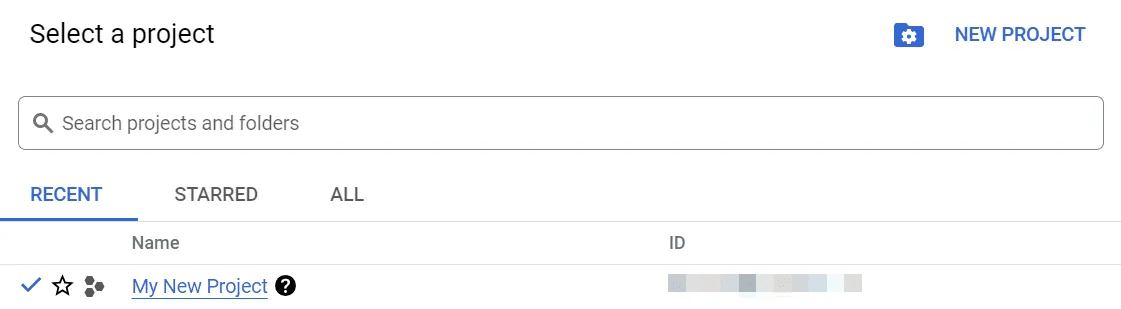
Step 3: Enable YouTube Data API v3
Go to APIs & Services → Library, search for YouTube Data API v3 and click Enable.
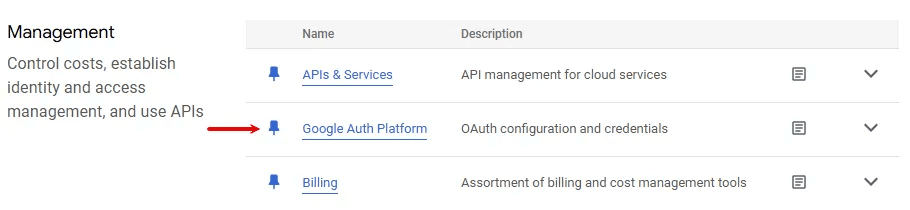
Step 4: Configure OAuth Consent Screen
Go to Google Auth Platform → Get Started:
- Set app name and provide your email
- Select External audience
- Add your email as test user
- Under Data Access, add scopes:
youtube.upload,youtube,youtube.readonly,yt-analytics.readonly

Step 5: Create OAuth Credentials
Go to Clients → + Create Client → Select Web application.
Add this Authorized redirect URI:
https://app.codivupload.com/api/v1/integrations/youtube/callbackCopy the Client ID and Client Secret.
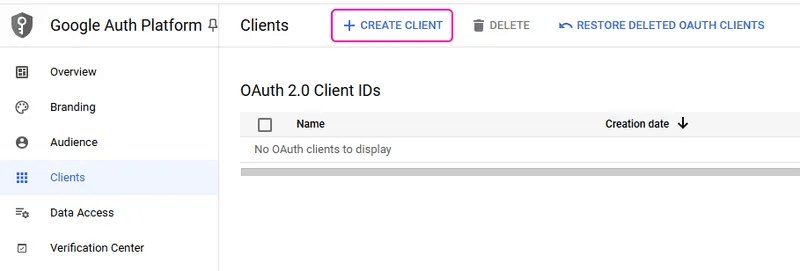
Step 6: Connect in CodivUpload
- Go to Profiles → click YouTube
- Check "Use my own YouTube API credentials"
- Paste your Client ID and Client Secret
- Click Continue → authorize with Google
Refresh Token Expiry
Apps in testing mode have refresh tokens that expire after 7 days. You'll receive a notification before expiry and can re-authorize with one click from the dashboard.
Privacy & Data Usage
CodivUpload's use of Google user data is strictly limited to publishing content and displaying analytics on your behalf. We adhere to Google's requirements for applications accessing YouTube API services:
Limited Use: CodivUpload complies with the Google API Services User Data Policy, including the Limited Use requirements. We only access the YouTube scopes necessary for video uploading, channel management, and analytics retrieval.
Token Security: All OAuth tokens (access tokens and refresh tokens) are encrypted using AES-256-GCM before storage. Tokens are never logged, exposed in URLs, or accessible to CodivUpload staff.
No Third-Party Sharing: Your Google data is never sold, shared with third parties, or used for advertising purposes. Data access is limited to the functionality you explicitly authorized.
Revocation: You can disconnect your YouTube account at any time from the Profiles page. This immediately deletes all stored tokens and revokes CodivUpload's access to your Google account.